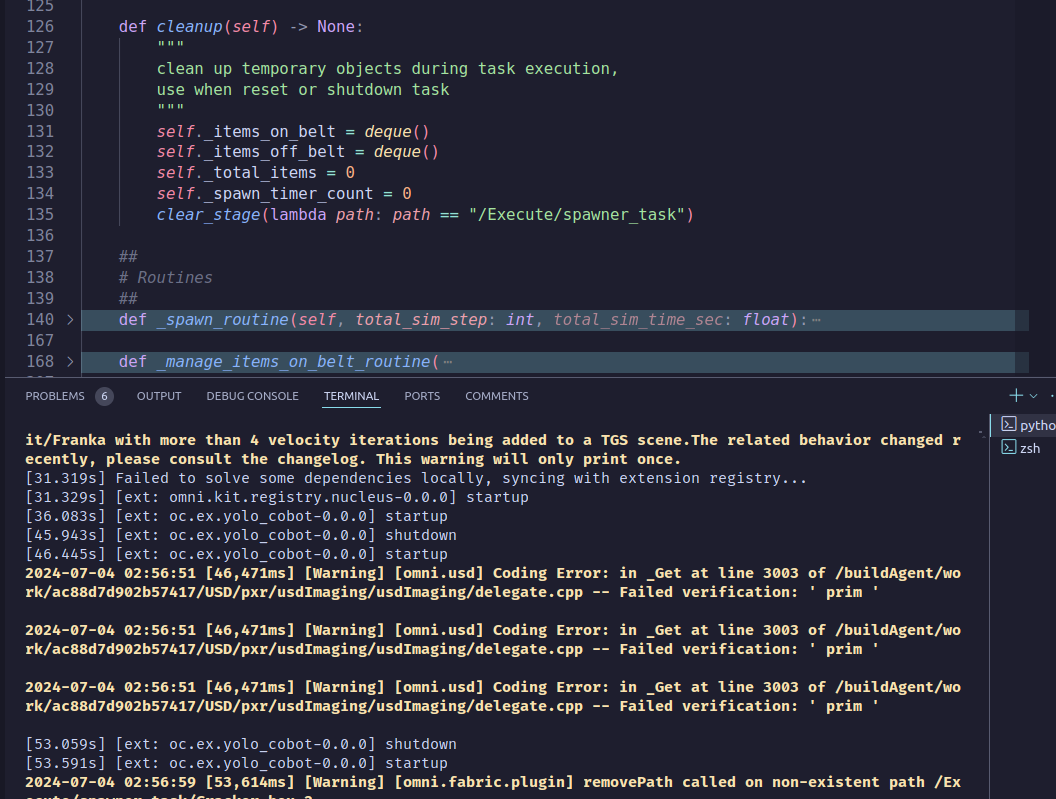
An kit based app that has many extension in dependencies, floods the log output with the lines
[Warning] [omni.usd] Coding Error (secondary thread): in _Get at line 3003 of W:\ac88d7d902b57417\USD\pxr\usdImaging\usdImaging\delegate.cpp – Failed verification: ’ prim ’
This happens when I run the app and then modify and save my extension’s py code - then my extension gets reloaded and these logs are triggered.
How to troubleshoot this?
@Mykola-777 i am just another user, but i wonder if your extension works behave as expected? i am asking because a lot of warning messages don’t actually impede OV functionality. on the other hand, red error messages are actual errors; and, the warnings could be the breadcrumbs leading up to the error. so whilst they may be harmless, they would help you troubleshoot actual errors.
i personally approach the terminal/console verbosity with the mindset of: “if it’s yellow, stay mellow; if it’s red, read what it said”
Thank you for reply. Indeed, these are not errors, and could be easily skipped.
But to me this looks like some elements on the scene have references left after extension reload.
I may miss some call to cache clear procedures, or some other stuff that I hadn’t figured out yet.
Same here, in my case it happens when I called clear_stage function from module omni.isaac.core.utils.stage right before extension reload. This warning log shows to me when I ported my code to isaacsim 4.0 installed via pip.
I’ve tried to identify the line of code that has strong references to those usd prim I cleared, but still couldn’t find one that actually leads to this warning