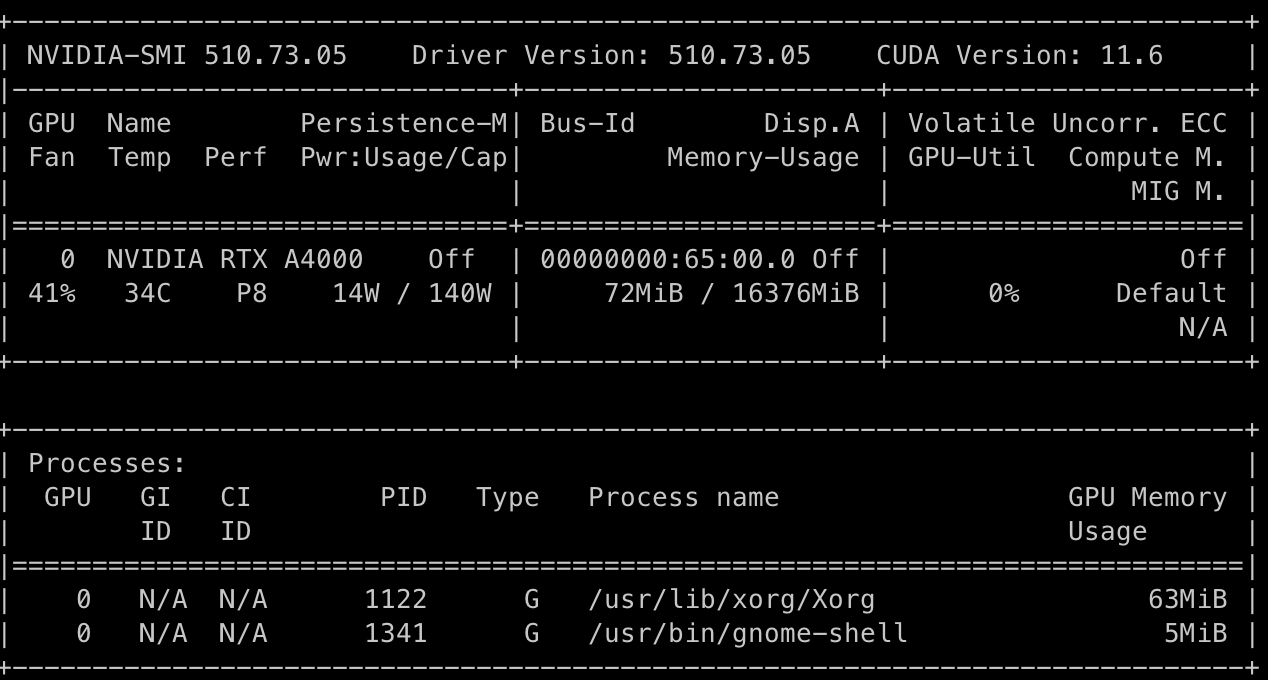
I have a ubuntu server with Nvidia GPUs. I want clients to be able to run Omniverse apps remotely. To do this, I have configured the VNC server on the ubuntu server. But the problem is when users connect to the server by ‘vncviewer’, they cannot launch Omniverse apps. I found that the ‘nvidia-setting’ shows a blank screen. The following is the result of ‘nvidia-smi’:
If you are trying to setup a server that allows 3rd party customers to connect to it, this feature is not be supported with a standard Nucleus Workstation. You might want to consider setting up an Omniverse Enterprise account which will give you access to the Enterprise Nucleus Server where people can connect to your private cloud behind a VPN.
There are many flavors of VNC servers and some do not use the GPU to create a desktop, so there is no hardware acceleration. Plus it can be an issue of “no monitor” plugged, where GPUs stop working when no screen is attached.
I’d like to understand how to get omniverse working for remote connections to a server where all the GPUs are.
Does NVIDIA offer any guidance on how to do this? Your devs mentions that some VNC tools don’t allow pass-through… do you have a list that do support pass-through?
I’m in the process of purchasing the Enterprise licenses and I’ll have a headless server with all the GPUs. So, how will my team be able to remote into the server and use OV Create and/or Isaac Sim?
Hi @grep-R
VNC servers like tigervnc and tightvnc create a virtual x server display that does not render GPU engines and API such as PhysX and Vulkan. Accordingly, you cannot run OV apps using these virtual vnc servers. However, X11vnc or x0vncserver share the real x display in which you can run OV but it needs the graphics card to be connected to a monitor (if you want to run in non-headless mode). Moreover, VirtualGl is a tool that enables you to render OpenGL in virtual vnc servers, but OV apps are not based on OpenGL but on PhysX and Vulkan. As a result, you cannot run OV in virtual vnc servers.
The other option is to execute some OV apps like IsaacSim in the headless mode which does not need the graphics card to be connected to a monitor.
I had also found this problem,and even more,when the omniverse had succeeded to launched,its window was blanked. the omnivers seldom suceeded to launched once. who can help me solve this?
no,it runned in ubuntu server throung VNC Client MobaXterm, not under the docker env. graphics drivers had been installed right the system had told.
sometimes omniverse-launcher can’t start,sometimes can start succededly,and sometimes although it starts but it appeal its window is blank as above
If the app doesn’t always run, there may be another problem, which may be causing Launcher to display incorrectly.
Since you are running through VNC, you should attempt to run with the argument I supplied earlier.
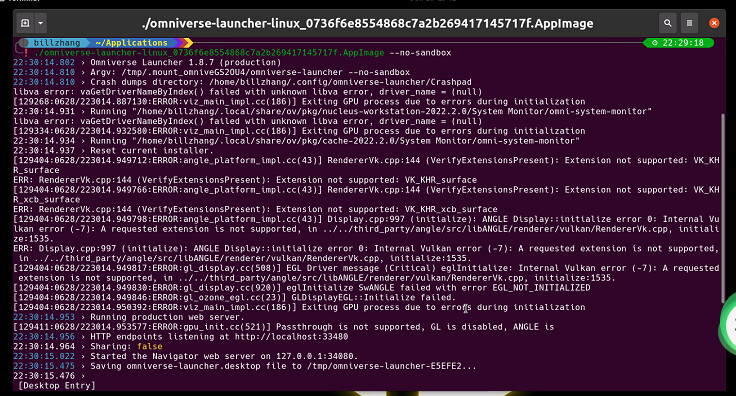
I had run omniverse app using the arguments you adivsed,it can run in host server machine,but can not run throug VNC-client(mobaxterm),wrong messages list as below pic. any new good idea,please.thanks