Hi, I am close to giving up… . When the unit fires up, I just get black screen. I went as far as trying to make a new SD card image, then it says the screen is not in range. Tried recovery mode steps. Nothing works. How do I get it working again? Factory defaults, etc. I really am at my wits end.
Hello,
Thanks for visiting the NVIDIA Developer Forums.
To ensure better visibility and support, I’ve moved your post to the Jetson category where it’s more appropriate
Cheers,
Tom
Thank you, Tom
Yes, It’s my first post on the forum :)
We’ll learn more as we keep on exploring /digging into the all the cool tech from Nvidia!
Thank you and have a great day/evening ahead!
Pieter Claassens
083 561 8577,068 742 8101 (WhatsApp)
Bsc Computer Science (Unisa),BBA (Unisa), MCSE,MCSD,MCT,CCNA,CCA
// C++, C# Developer | Pentester | ICT security presales consultant
1 Like
Hi,
How do you flash your device?
Do you follow the below steps?
- Prepare a native ubuntu 20.04 later
- Install sdk manager
- flashing the AGX Orin with latest JP version like JP6.2
Thanks
Good morning David,
I have not tried the Ubuntu route, as yet.
Luckily my notebook dual boot between Windows and Linux,so I’ll definitely give that a ‘bash’ today.
(apologies for the Bourne pun - lol)
Thanks.
Pieter Claassens
083 561 8577,068 742 8101 (WhatsApp)
Bsc Computer Science (Unisa),BBA (Unisa), MCSE,MCSD,MCT,CCNA,CCA
// C++, C# Developer | Pentester | ICT security presales consultant
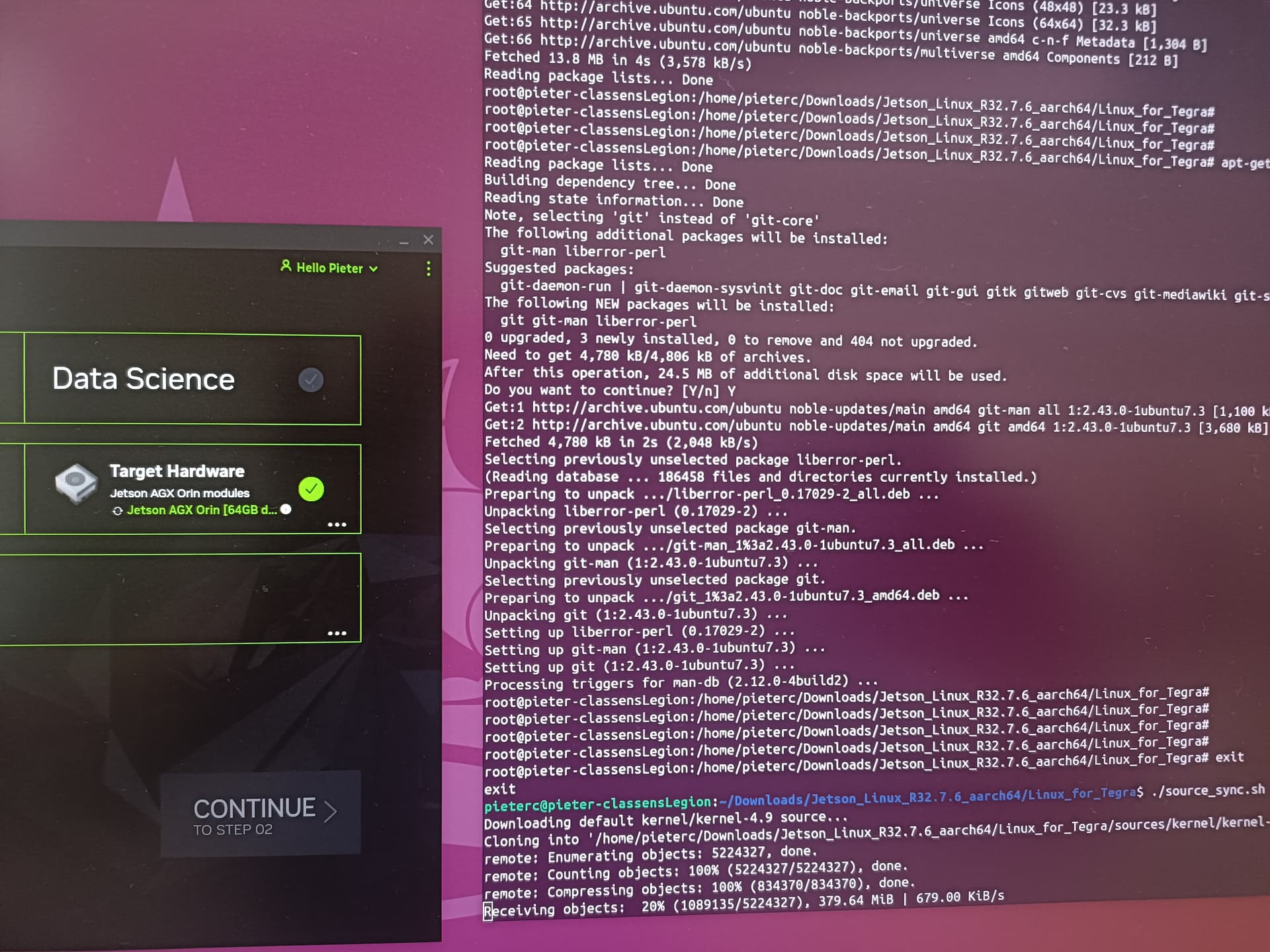
Okie dokie, we are getting there, at least our friend boots up and get recognised by die SDK manager now. (yay)
Just doing a source_sync to be able to select the SDK (in order to continue to Step2)
Thank you to everyone involved as far.
Hi ,
You don’t need to run source_sync when setting up the SDK. Instead, just let SDK Manager detect your device — it will automatically identify the correct JetPack version (e.g., JP5.x / JP6.x) that’s compatible with your hardware and download the necessary packages.
From your terminal logs, we noticed that your current BSP is R32.7.6, which isn’t compatible with the AGX Orin. For details on which BSP versions are supported by your device, please refer to the links below:
Thanks
This topic was automatically closed 14 days after the last reply. New replies are no longer allowed.