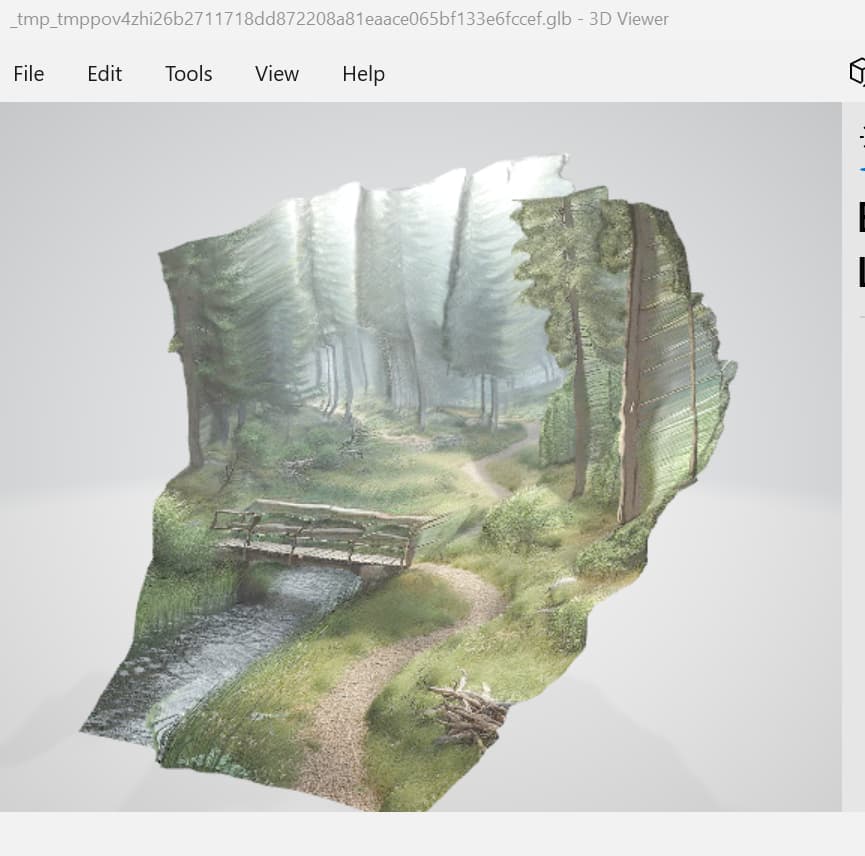
I have a GLB file created using https://huggingface.co/spaces/shariqfarooq/ZoeDepth - upload a 2D image
and it creates a 3D version. A bit of fun. I can open in an online GLB viewer (but not another). I can open it in the Windows “3D viewer” (double click on GLB file and it opens, with texture).
When I open in Blender, there is no material (its all grey). When I convert and open in Omniverse there is no material.
So clearly the texture is in the file, but in a way not everyone supports.
I tried to create a material from the 2D image and apply it to the mesh in OV, but it came out all green (like the zoom factor was wrong). I am not a materials expert - I was wondering if some kind soul could guide me how to apply the texture to the file (or is there some way to get Omniverse to import the GLB file and include the texture?)
Here is the original 2D image and GLB file ZoeDepth generated: ZoeDepth - Google Drive
after some tinkering, the method ZoeDepth seems to be using isn’t too dissimilar to camera projection technique. specifically, they’ve positioned a camera at the world 0,0 using a 35mm lens (approx). in short, the downloaded mesh has a pretty messed up UV (outside of the 1 by 1 UV square, upside down, overlapped, etc) and not sure if it’s by design:
but if you were to make the projection after the fact in your DCC, like Blender or, in my case, 3DS Max, you can see the generated mesh stays only within the confines of the camera cone:
unfortunately i am not familiar with the GLB to say how we can extrapolate it from the file downloaded from ZoeDepth (Max didn’t show any materials either). but because the UV isn’t set up properly, Composer will have a hard time replicating the resulting image, and you will likely need to go through a DCC that supports camera projection. here’s what the UV should’ve looked (the mesh is too dense to see, but it should just be a rectangle):
this is an interesting read on GLB, though -
Thx for having a go.
I got the Omniverse version of Blender to show the texture by creating a material, but exporting to USD does not save any texture files.
There appears to be no UV (ST) mapping data in the USD file. So yes, that seems to be the problem. Somehow need to convert projection views into UV maps. More Blender tutorial viewing!
1 Like
I tried following a few tutorials, and suddenly it started generating generating UV mapping which I managed to get a material created for manually. I need to track it down so I can repeat the process reliably, but an indication of what is possible. Generative AI for 3D Scene Backgrounds – Extra Ordinary, the Series
It should be a simple case of making a new fresh mdl in USD Composer and applying the basic texture, assuming the geometry has maintained its UV projection.
Is using a MDL file the most portable way of creating a material that will work across tools?
Note: I tried the example to create a material in the Omniverse documentation, but it did not work (did not render the material). Jen in Discord said things had changed and the code was out of date. I am trying to generate the material from Python code given a texture file, so am trying to work out the right API calls to make, ideally in the most portable way.
I am not sure about the actual code. But it is very straight forward to do in the app with the UI.
Thanks, maybe this is a question for USD forums rather than Omniverse forums. I was wondering the most portable way to do materials across products. I am sure I can work out the code once I know the right end result. (I do it manually, export as USDA, then fiddle my code until it generates the right output.)