Isaac Sim Version
5.1.0
5.0.0
4.5.0
4.2.0
4.1.0
4.0.0
4.5.0
2023.1.1
2023.1.0-hotfix.1
Other (please specify):
Operating System
Ubuntu 24.04
Ubuntu 22.04
Ubuntu 20.04
Windows 11
Windows 10
Other (please specify):
GPU Information
- Model: NVIDIA GeForce RTX 3090 Ti
Driver Version: 535.183.01
Topic Description
Detailed Description
How to get a higher subdivided mesh through the code (In GUI is “Create” > Settings)?
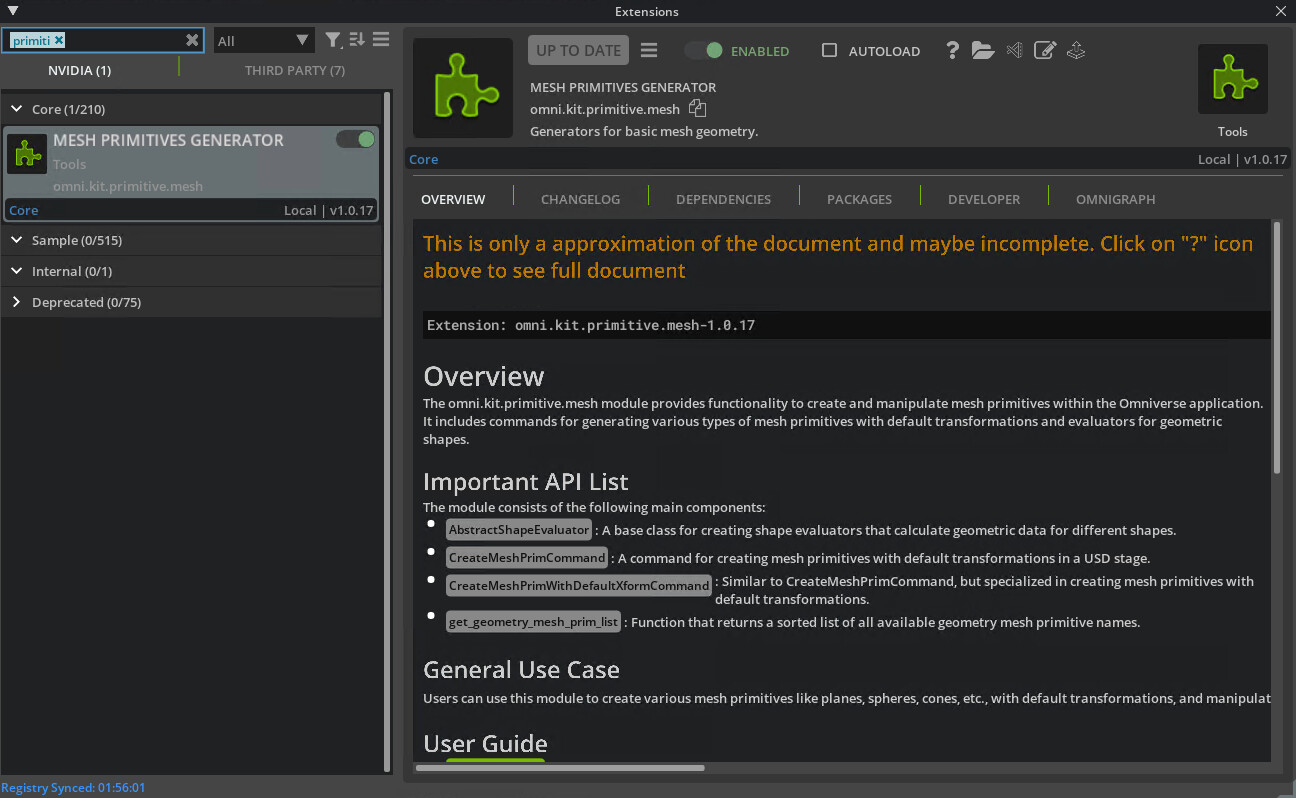
@lyx010318 i presume you’d like to generate only those mesh primitives that are from the Create menu. if so, the extension that you will want to look into is the Mesh Primitive Generator
here’s the python API:
and just as an example, for a subdivided cube with these specified settings via GUI:
you can accomplish the same programmatically that invokes either CreateMeshPrimCommand or CreateMeshPrimWithDefaultXformCommand:
import omni.kit.commands

omni.kit.commands.execute(
	"CreateMeshPrim",
	prim_type="Cube",
	above_ground=True,
	half_scale=10,
	u_verts_scale=5,
	v_verts_scale=5,
	w_verts_scale=5)
Hi @Simplychenable, thanks for replying. I actually want to load my own USD and then change the mesh properties using the code. I’m not creating the mesh in the simulator.
Do you possibly know how to do this?
one way to do this is through a series of kit commands that sets three mesh prim properties - subdivision scheme, refinement override, and refinement level:
import omni, omni.usd, omni.kit.commands
from pxr import Usd, UsdGeom, Gf, Sdf

# Get stage
stage = omni.usd.get_context().get_stage()

# Get the prim from stage
prim = stage.GetPrimAtPath("/World/Cube")

# Set subdivision scheme to default state with catmull clark
omni.kit.commands.execute('ChangeProperty',
	prop_path=Sdf.Path('/World/Cube.subdivisionScheme'),
	value='catmullClark',
	prev=None)

# Enable refinement override
omni.kit.commands.execute('ChangeProperty',
	prop_path=Sdf.Path('/World/Cube.refinementEnableOverride'),
	value=True,
	prev=None)

# Set the custom refinement/subdivision level. Higher the value, denser the mesh becomes
omni.kit.commands.execute('ChangeProperty',
	prop_path=Sdf.Path('/World/Cube.refinementLevel'),
	value=2,
	prev=0)
how your mesh prim will be subdivided depends upon the types of subdivision scheme (Catmull Clark, Loop, Bilinear, or None). see the clips below to determine the right subdivision methods that’s right for your mesh.
Catmull Clark:
Loop:
Bilinear:
None:
1 Like
Thank you so much for the help! @Simplychenable I will try them later.