I am having issues importing a pointcloud usd file into usd composer, it stays stuck on the loading screen. I am trying to load a scan of a factory floor to create a digital twin of said factory, but the scan itself won’t load. It was taken on a NavVis scanner and converting into a pointcloud USD file.
I’m using the Omniverse developer kit, see details in attached screenshot:
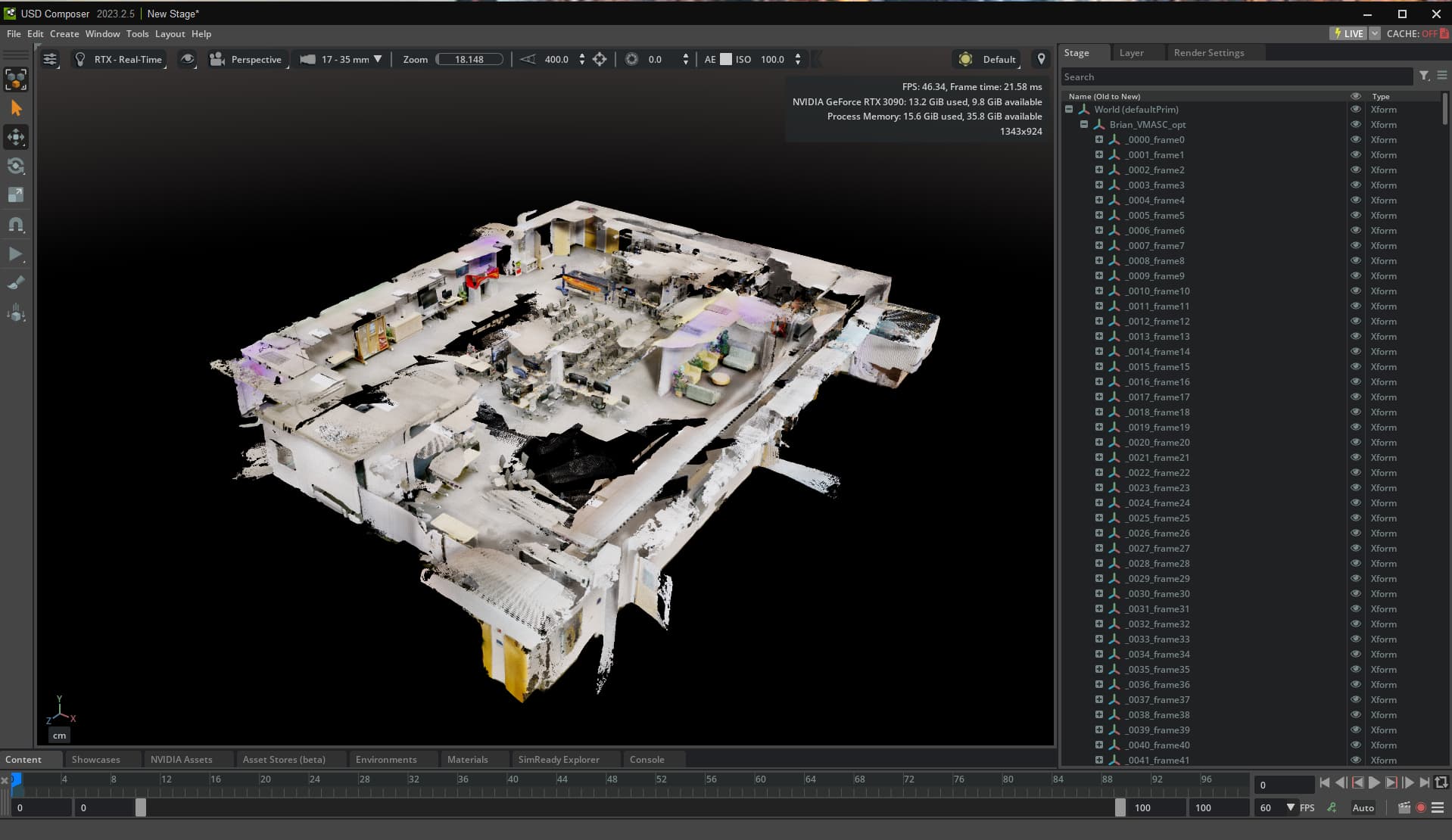
I am trying to load the file into USD Composer and this is what shows up, it just stays loading and nothing comes into the scene:
I have tried loading both the USD and .e57 versions of the same point cloud file and neither works, see details of file sizes in screenshot below:
I hope this information can give you more insight into the issue?
Can you send us the point cloud please?
See attached the usd file:
 KR+11.usd
I have checked the point cloud workflow and it seems fine. I am able to import any of my 10 test point clouds which are the .e57 format. I just double click on them and they import fine in your version of Composer, 2023.2.5. Can you try another smaller point cloud please? Is it really big?
Hi Richard,
I can try a smaller one and see if that works. Do you think it could be issues with my computer rather than composer? These are its specs if that helps:
| OS Name |
Microsoft Windows 11 Home |
| Version |
10.0.26100 Build 26100 |
| Other OS Description |
Not Available |
| OS Manufacturer |
Microsoft Corporation |
| System Name |
DESKTOP-QIEJ71N |
| System Manufacturer |
Gigabyte Technology Co., Ltd. |
| System Model |
B560M DS3H V2 |
| System Type |
x64-based PC |
| System SKU |
Default string |
| Processor |
11th Gen Intel(R) Core™ i7-11700F @ 2.50GHz, 2496 Mhz, 8 Core(s), 16 Logical Processor(s) |
| BIOS Version/Date |
American Megatrends International, LLC. F7 GK, 31/03/2022 |
| SMBIOS Version |
3.3 |
| Embedded Controller Version |
255.255 |
| BIOS Mode |
UEFI |
| BaseBoard Manufacturer |
Gigabyte Technology Co., Ltd. |
| BaseBoard Product |
B560M DS3H V2 |
| BaseBoard Version |
x.x |
| Platform Role |
Desktop |
| Secure Boot State |
On |
| PCR7 Configuration |
Elevation Required to View |
| Windows Directory |
C:\WINDOWS |
| System Directory |
C:\WINDOWS\system32 |
| Boot Device |
\Device\HarddiskVolume3 |
| Locale |
United Kingdom |
| Hardware Abstraction Layer |
Version = 10.0.26100.1 |
| Username |
DESKTOP-QIEJ71N\AMC_VR_PC_1 |
| Time Zone |
GMT Standard Time |
| Installed Physical Memory (RAM) |
16.0 GB |
| Total Physical Memory |
15.9 GB |
| Available Physical Memory |
2.46 GB |
| Total Virtual Memory |
23.4 GB |
| Available Virtual Memory |
1.32 GB |
| Page File Space |
7.52 GB |
| Page File |
C:\pagefile.sys |
| Kernel DMA Protection |
Off |
| Virtualisation-based security |
Running |
| Virtualisation-based security required security properties |
|
| Virtualisation-based security available security properties |
Base Virtualisation Support, Secure Boot, UEFI Code Readonly, SMM Security Mitigations 1.0, Mode Based Execution Control, APIC Virtualisation |
| Virtualisation-based security services configured |
|
| Virtualisation-based security services running |
|
| App Control for Business policy |
Enforced |
| App Control for Business user mode policy |
Off |
| Automatic Device Encryption Support |
Elevation Required to View |
| A hypervisor has been detected. Features required for Hyper-V will not be displayed. |
|
Hey @aoife.odoherty
Thanks for sending your specs, can you also include which GPU you have?
We need your GPU information. Also you only have 16GB of system ram installed. That will be an issue as well.