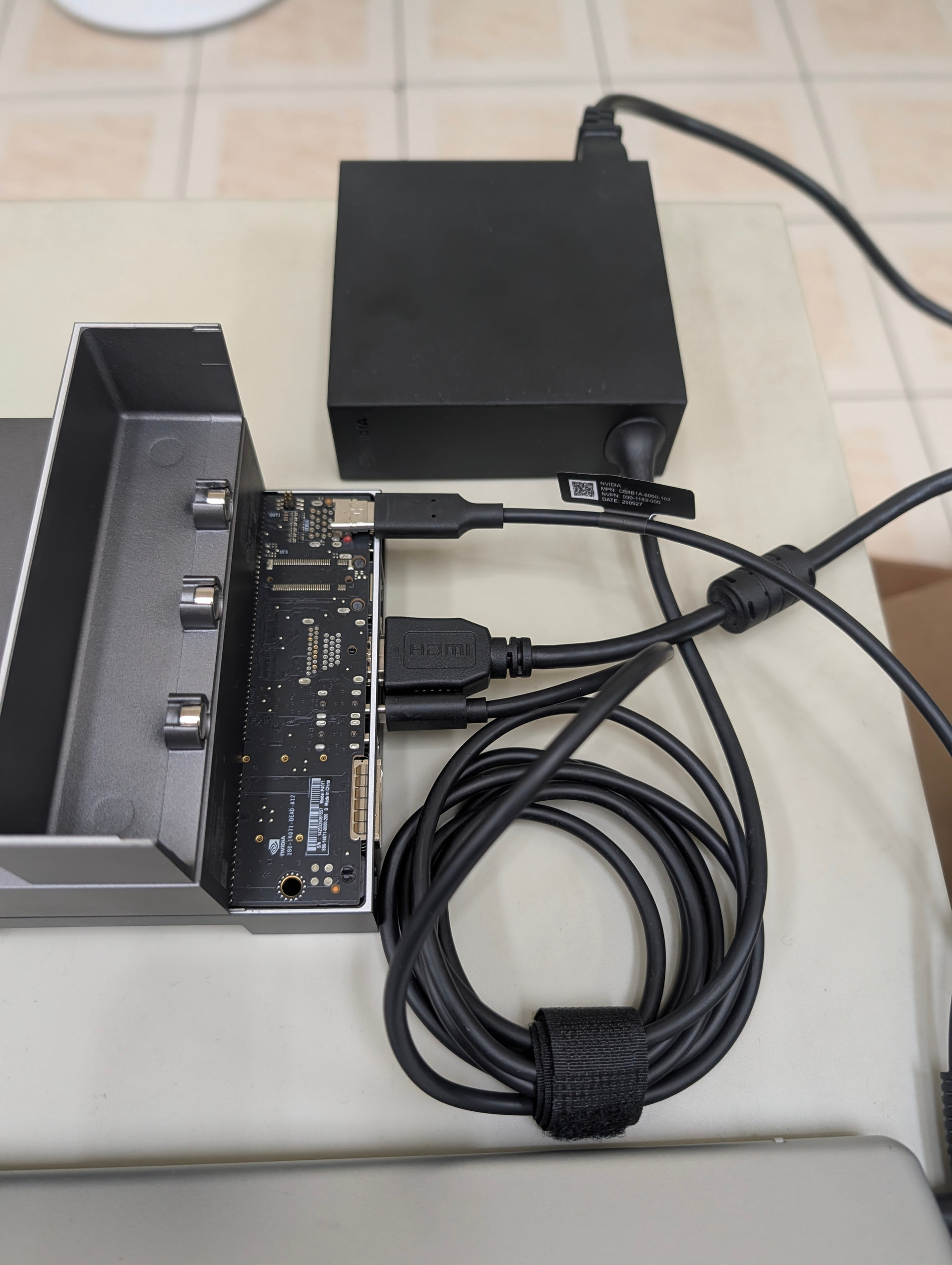
Description: I am encountering a persistent issue where SDK Manager fails to detect my Jetson Thor board. I am connecting the board via a USB-A to USB-C cable to the debug port.
Current Setup:
Target Board: Jetson Thor
Host PC OS: Ubuntu 24.04
SDK Manager Version: 2.4.0
Connection: USB-A to USB-C (connected to the Debug Port)
Troubleshooting Steps Taken: I have tried various combinations of Host OS versions and SDK Manager versions, but the result is always “Could not detect a board.”
Host PC Versions Tested: Ubuntu 20.04, 22.04, and 24.04.
SDK Manager Versions Tested: 2.1.0, 2.2.0, 2.3.0, and 2.4.0.
Despite all these attempts, the board remains undetected. Please advise.
Noted. I have switched the connection to the USB Type-C port. I checked lsusb again, and while the 0955:7045 device is gone, the SDK Manager still fails to detect the board.
Additionally, regarding the boardctl command I used: Although the board rebooted after execution, the log explicitly stated: ‘Recovery status is now: NOT IN RECOVERY MODE’. This suggests the software command failed to trigger the recovery state.
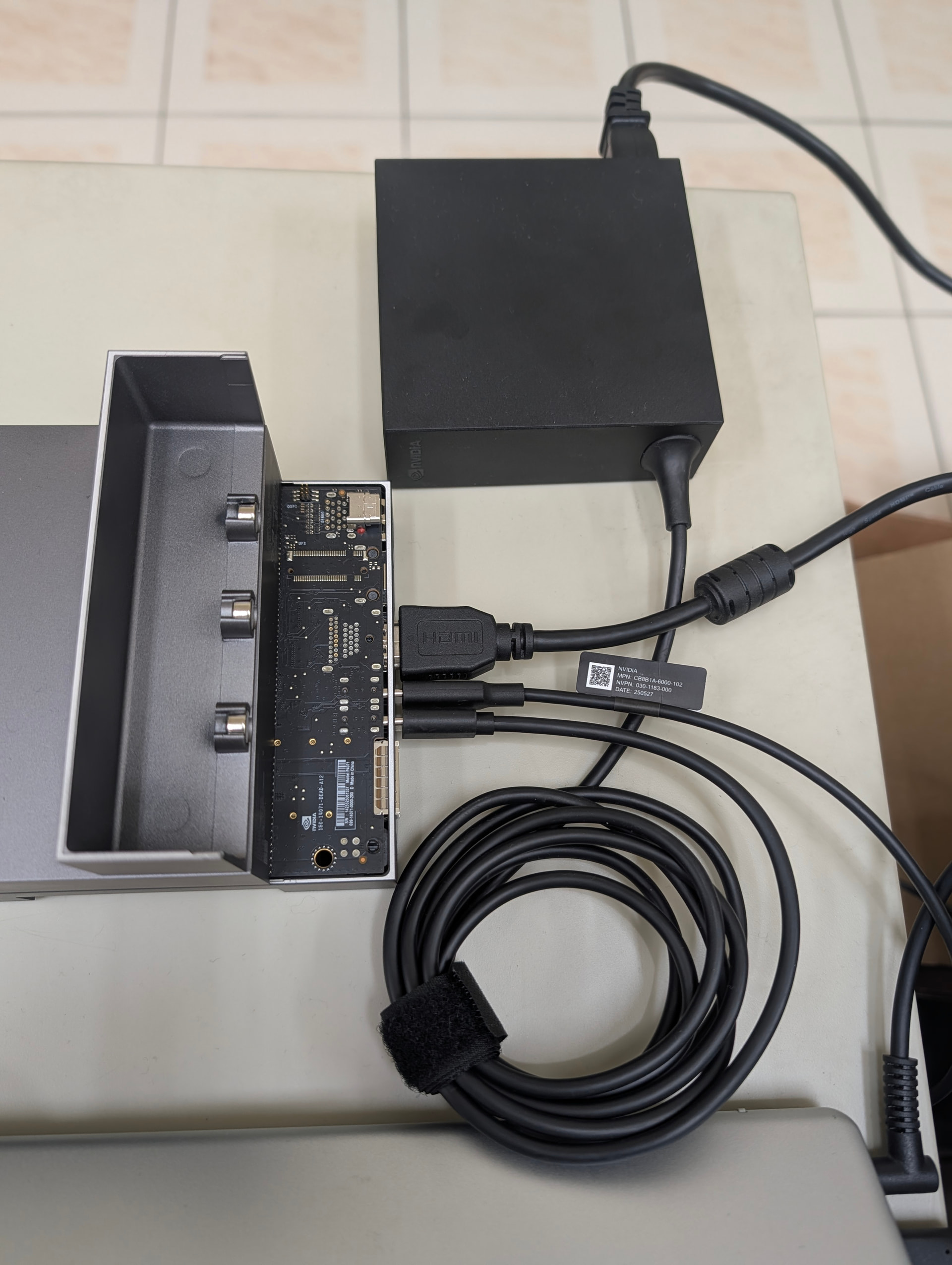
As shown in the attached photo, I am powering the Jetson using the dedicated AC power adapter (the power brick). The USB Type-C cable is connected only for the boardctl command purposes.
Clarification regarding the Debug Port: The reason I connected to the debug port earlier was specifically to run the boardctl command to programmatically force the board into recovery mode.
However, the feedback log from the boardctl command explicitly stated that the board was not in recovery mode.
Move the usb-c from the top debug port. Put it beside the usb-c power-in the second vertical usb-c port.
The uncovered top horizontal usb-c is the debug port and will not work to flash the Thor.
and to enter recovery mode, from power off. hold the middle button, then press power then in a second release all. Then your host with sdkmanager running will see the Thor.
I have followed your advice and moved the USB-C connection to the vertical port (as shown in the attached photo). I also attempted the hardware key sequence to enter recovery mode (Hold middle button → Press Power → Release).
However, despite these signs, the SDK Manager still displays ‘Could not detect a board’. I have checked lsusb again, but the device is still not appearing.